2021 Feature Update: Create a blog with Heights!
Started by Heights Platform
1060 points
Heights Platform


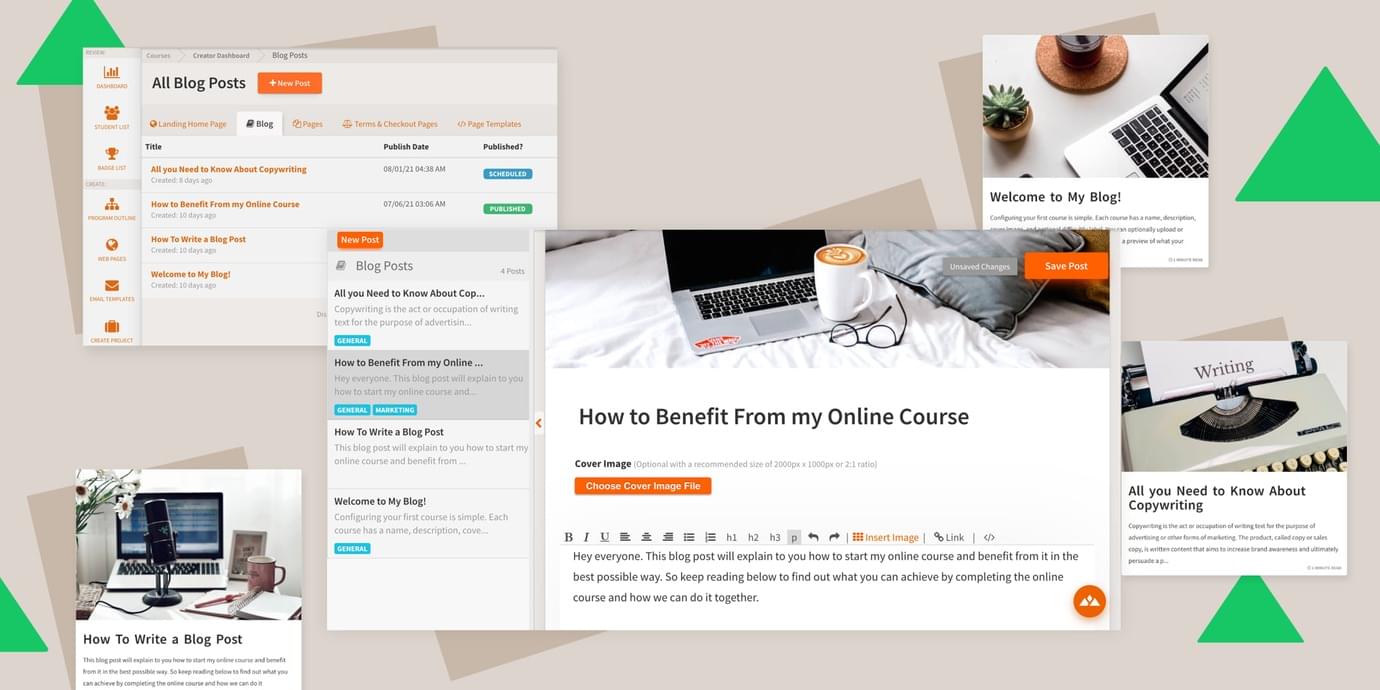
Blog: Create and customize a public blog to promote your program. Publish and schedule posts from the built-in editor that offers complete HTML editing, and features specifically designed for blogging like live word count, a built-in RSS feed, and blog categories.
New Sidebar Color Themes: You can now choose a light or transparent sidebar style to apply to either the built-in color themes or your custom color themes!
**Custom Fonts: **You can now set a custom font for the course and lesson headers in your program, right from your account settings. While this was possible before using our custom code feature, you can now select and apply custom fonts without any code! The blog feature will use the same custom font that you've chosen for your landing pages.
Page Templates: Developers and advanced creators can completely customize the design and layout of their blog using HTML and Liquid markup. Create any blog design you can imagine, and embed any third-party tools you need. To start there are page templates available for the blog feature, but more page templates for other areas of your site will be available in the future.
Editor Improvements: The lesson and blog editor will strip out HTML styles more aggressively to prevent unintentionally pasting in unwanted HTML content. At the same time, the editor now allows more HTML to be manually added or embedded, so when you want to add your own custom code or styles to editor content, you'll be able to! The blog feature offers a complete HTML editor view for your blog posts as well as a live word count and reading time display.
Editor Design: The title for a lesson or blog inside the editor is now displayed less like a form, and will appear closer to the display of what your student would see, custom font included.
Speed and Security: We've enhanced our web application firewall from Cloudflare to provide enterprise-grade protection to your sites!

1060 points
Heights Platform
Blog: Create and customize a public blog to promote your program. Publish and schedule posts from the built-in editor that offers complete HTML editing, and features specifically designed for blogging like live word count, a built-in RSS feed, and blog categories.
New Sidebar Color Themes: You can now choose a light or transparent sidebar style to apply to either the built-in color themes or your custom color themes!
**Custom Fonts: **You can now set a custom font for the course and lesson headers in your program, right from your account settings. While this was possible before using our custom code feature, you can now select and apply custom fonts without any code! The blog feature will use the same custom font that you've chosen for your landing pages.
Page Templates: Developers and advanced creators can completely customize the design and layout of their blog using HTML and Liquid markup. Create any blog design you can imagine, and embed any third-party tools you need. To start there are page templates available for the blog feature, but more page templates for other areas of your site will be available in the future.
Editor Improvements: The lesson and blog editor will strip out HTML styles more aggressively to prevent unintentionally pasting in unwanted HTML content. At the same time, the editor now allows more HTML to be manually added or embedded, so when you want to add your own custom code or styles to editor content, you'll be able to! The blog feature offers a complete HTML editor view for your blog posts as well as a live word count and reading time display.
Editor Design: The title for a lesson or blog inside the editor is now displayed less like a form, and will appear closer to the display of what your student would see, custom font included.
Speed and Security: We've enhanced our web application firewall from Cloudflare to provide enterprise-grade protection to your sites!