2021 Feature Update: Set up Rolling Launches and Automate Access Periods for Your Content
Started by Heights Platform
1060 points
Heights Platform


We have improved how the "launch date" and lesson drip release day features work, and added a way to set expiration dates on a student's access!
You can now set multiple launches for your online course throughout the year, without worrying about your current students losing access to your program.
How does the updated Launch Date feature work? Watch the video tutorial all about content access and setting launch dates and days of access here: https://support.heightsplatform.com/article/70-granting-and-revoking-content-access
Schedule Multiple Launches: Set up multiple launch dates during the year to relaunch your online course to new groups of students. Students will be able to purchase your course at any time, but will only be granted access on the next launch date. When you schedule a second launch, your existing students will continue to have access at the launch period they purchased, while new students will be pre-purchasing your course for its next launch. No need to copy courses, or fiddle with complicated permission settings. Heights handles each student's access period automatically based on the period the student purchased!
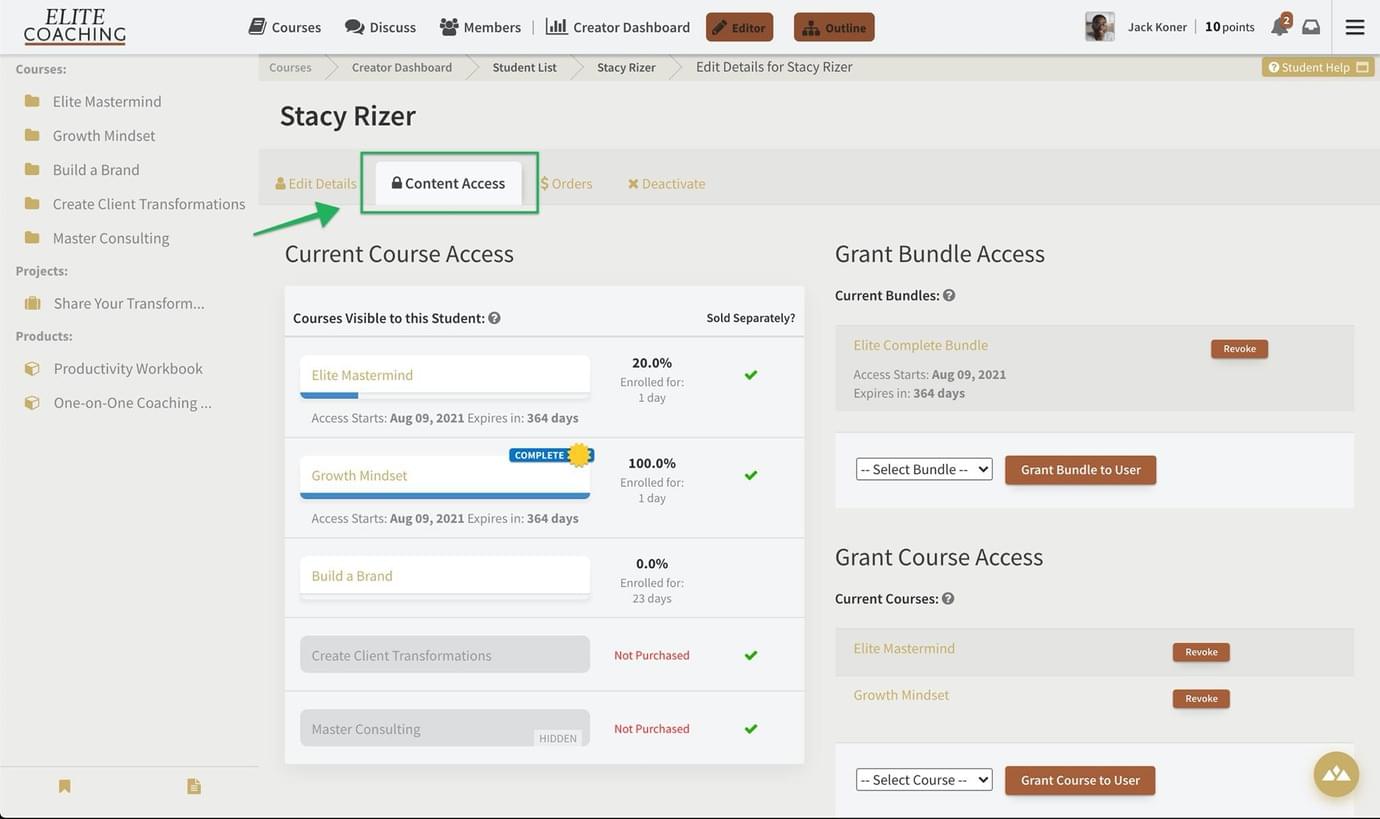
Limit Days of Access: You can now limit the timeframe in which a student have access to your course or product after purchase (i.e. access for one year). This can be used either on its own, or in combination with the updated Launch Date feature.

1060 points
Heights Platform
We have improved how the "launch date" and lesson drip release day features work, and added a way to set expiration dates on a student's access!
You can now set multiple launches for your online course throughout the year, without worrying about your current students losing access to your program.
How does the updated Launch Date feature work? Watch the video tutorial all about content access and setting launch dates and days of access here: https://support.heightsplatform.com/article/70-granting-and-revoking-content-access
Schedule Multiple Launches: Set up multiple launch dates during the year to relaunch your online course to new groups of students. Students will be able to purchase your course at any time, but will only be granted access on the next launch date. When you schedule a second launch, your existing students will continue to have access at the launch period they purchased, while new students will be pre-purchasing your course for its next launch. No need to copy courses, or fiddle with complicated permission settings. Heights handles each student's access period automatically based on the period the student purchased!
Limit Days of Access: You can now limit the timeframe in which a student have access to your course or product after purchase (i.e. access for one year). This can be used either on its own, or in combination with the updated Launch Date feature.